

silk lp hero v2_1

Silk: free design system for commerce

Ship accessible UI faster with design system built for shops, marketplaces, and B2B products
Get early access

A smarter way to design commerce UI

Silk is a free design system developed by Netguru to help teams design and ship commerce and marketplace products faster—without rebuilding UI foundations for every project.

It provides ready-made foundations, reusable Figma components, and clear documentation to help teams design consistent shopping interfaces across mobile and web.

Why teams choose Silk design system?

Commerce teams need to move fast, keep experiences consistent, and iterate on conversion flows.

Silk helps teams achieve this by offering:

  • Launch commerce products faster using ready-made UI for common shopping flows

  • Keep shopping experiences consistent across mobile and responsive web

  • Iterate safely on conversion-critical areas like checkout and account flows

  • Scale catalogs and features without UI fragmentation

  • Reduce long-term design debt as products and teams grow


silk lp image 2 v2
silk lp image 3

Lightweight and easy to adopt

Silk offers more structure than a basic UI kit without the complexity of enterprise systems—making it practical for B2B and B2C commerce teams.

Everything you need to customize UI for your brand

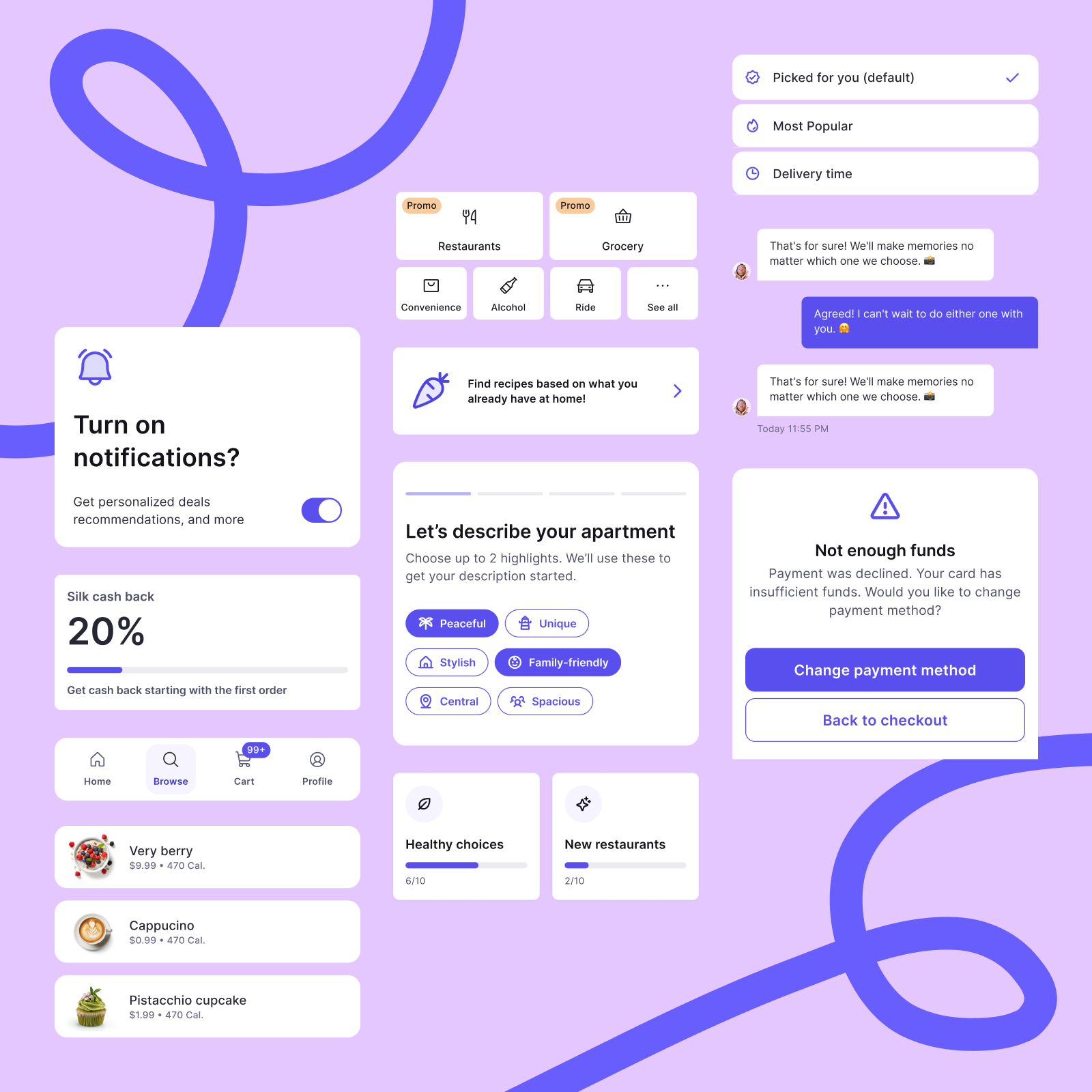
A complete interface system designed to adapt to your brand—so you can create consistent, scalable UI, without building assets from scratch.

Foundations & tokens

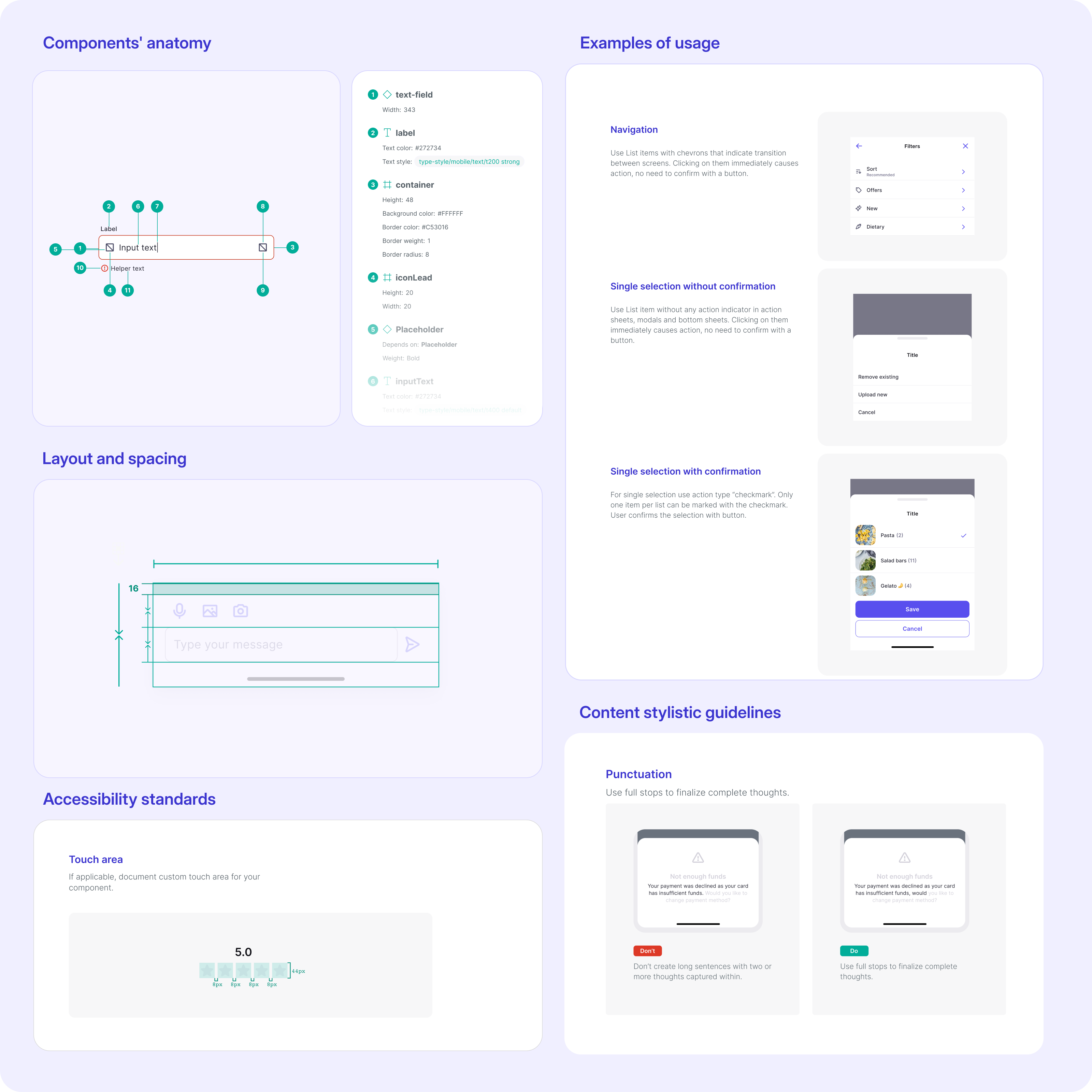
Define colors, typography, spacing, and layout using a structured token system that supports accessibility and easy brand customization.

Core components

Use reusable components for common commerce UI elements like buttons, forms, navigation, and feedback—ready to use in real product flows.

Patterns & flows

Apply predefined patterns for key commerce scenarios, including product lists, checkout, account areas, and responsive layouts.

Open-source Figma files

Access Silk as open-source Figma files for mobile and responsive web, with integrated Phosphor Icons and in-file documentation.

Writing guidelines

Ensure consistency beyond visuals with clear microcopy guidelines—so labels, messages, and CTAs align with your brand voice.

Contribution guidelines

Provide clear guidelines and checklists that help teams expand the system easily while maintaining quality.

Silk bridges the gap between complex design systems and unstructured UI kits, empowering designers to enhance their skills, adopt best practices, and streamline their workflows.

Karina Graj

Senior Product Designer

As AI becomes more accessible, user experience will again be the real differentiator—and a well-structured design system makes it possible to innovate and scale without losing focus.

Bartosz Białek

Design Director

What Silk is best suited for

Silk works best for single-brand commerce products that need a consistent, maintainable UI across mobile and responsive web—without the overhead of large enterprise systems.
  1. Product flows

    Design consistent user flows for mobile and responsive web so common interactions behave predictably across screens and touchpoints.
  2. E-commerce and marketplace journeys

    Build shopping experiences like search, product lists, checkout, and account areas using ready-made patterns aligned with conversion best practices.
  3. MVPs and prototypes

    Create MVPs and early-stage commerce prototypes faster using ready-made components and layouts—without spending time on basic UI setup.
  4. Design-system foundations

    Create internal or external design-system foundations using prebuilt components, tokens, and guidelines that scale with your product.

Explore real product examples

We’ve prepared a dedicated set of example screens to show Silk’s best practices in real commerce scenarios. Delivered as a separate file, they serve as a practical reference for teams building production-ready interfaces.

Efficiency gains from using Silk in production

Curious about the real impact of design systems? These are the efficiency gains we observed using Silk in client projects:

50%

reduction in setup and prototyping time

3–6 days

saved during MVP sprints

3 days

updated branding roll out

Still have questions?

Is Silk right for my commerce business?

Silk is designed for single-brand commerce products, including e-commerce platforms, marketplaces, and B2B commerce tools. It helps teams move faster, keep shopping experiences consistent, and scale UI across mobile and responsive web.

Silk is not intended for large multi-brand enterprises that require complex theme switching or highly divergent brand architectures.

Can I customize Silk to match my brand?

Yes. Silk is built around design tokens, variables, and flexible foundations that make it easy to adapt colors, typography, spacing, and layout to your brand. A dedicated manual will explain how to customize Silk while keeping the system consistent and accessible.

Is Silk actively maintained and improved?

Yes. Silk was originally created to help speed up real client projects at Netguru while maintaining high design quality and proven best practices. Today, it is maintained as an open design system, with dedicated resources focused on continuous improvement and usability.

Is accessibility built into Silk?

Yes. Accessibility is ingrained directly into Silk’s components and color palettes. This means teams don’t have to think about accessibility as an extra step—it’s already part of how the system is designed and used.

Sign up for early access to the Silk Figma files

Early access to Silk will be available to Next in Commerce newsletter subscribers.

Join the newsletter to receive weekly insights on commerce and get access as soon as Silk is released.

Click for the details