

Contents
Node.js explained
Who should read this guide
This guide is designed for CEOs, Heads of Product, Innovation Leaders, and Digital Strategy Executives who must align technology decisions with business outcomes. If you're responsible for time-to-market, team scalability, or platform performance this ebook is for you.
Node.js enables full-stack JavaScript development, allowing organizations to reduce handoffs and streamline delivery. It’s trusted by Netflix, PayPal, and Uber to build scalable, high-performance applications.
Selecting the right backend framework means weighing trade-offs, team fit, and long-term maintainability. This ebook offers a strategic perspective—covering Node.js’s strengths, ideal use cases, and potential pitfalls.
What is Node JS
Node.js is an open-source, server-side runtime environment that extends JavaScript’s capabilities beyond the browser. Built on Chrome’s high-performance V8 engine, it enables developers to build scalable backend services using a single programming language across the entire stack.
This unification of frontend and backend development with JavaScript leads to streamlined workflows, reduced context switching, and improved team collaboration. Developers no longer need to juggle multiple languages, which simplifies the codebase and accelerates project timelines.
What sets Node.js apart is its non-blocking, event-driven architecture. It handles asynchronous operations efficiently, making it particularly suitable for real-time applications such as messaging platforms, live dashboards, and APIs handling heavy traffic.
However, it's worth noting that Node.js may not be ideal for CPU-intensive tasks or applications that require strict type enforcement—areas where alternative technologies might offer better performance or compatibility.
Core characteristics
- Event-driven architecture: Node.js uses a single-threaded event loop to handle concurrent requests, making it ideal for building real-time and scalable applications.
- Non-blocking I/O: Operations such as file reads or network calls don’t block the execution thread. Instead, Node.js uses asynchronous callbacks or promises, improving throughput.
- Lightweight and fast: Built on the high-performance V8 engine, Node.js compiles JavaScript directly into native machine code, ensuring rapid execution.
- Modular with npm: Node’s ecosystem is enriched by npm (Node Package Manager), the world’s largest software registry, allowing developers to install and manage dependencies efficiently.
The evolution of Node.js
Node.js was introduced in 2009 by Ryan Dahl, who set out to overcome the limitations of existing web servers and coding practices. At the time, servers struggled to manage high volumes of concurrent connections, and developers often relied on multiple technology stacks or blocking processes that slowed performance.
Dahl’s goal was to empower developers to use JavaScript for both frontend and backend development—creating a unified environment for building scalable, high-performance web applications.
The first version of Node.js supported only Linux and macOS, with Dahl leading development and Joyent later sponsoring its growth. In 2010, the introduction of npm (Node Package Manager) revolutionized how developers shared and maintained Node.js packages, laying the foundation for the ecosystem’s rapid expansion.
A year later, collaboration between Microsoft and Joyent brought a native Windows version, further extending Node.js’s reach across platforms.
In 2015, the Node.js Foundation was established to support its open-source community, later merging with the JS Foundation in 2019 to form the OpenJS Foundation, which continues to oversee and advance the project today.
Why companies choose Node.js
Faster time to market
Node.js enables both frontend and backend development in a single language—JavaScript. This tight integration accelerates development cycles, helping teams launch MVPs faster and adapt quickly to changing user needs.
By unifying the development stack, Node.js also creates a more cohesive workflow that allows teams to:
- Share code between client and server
- Avoid redundant handovers between frontend and backend specialists
- Reuse logic to reduce duplication and bugs
Improved developer efficiency
Node.js supports the formation of full-stack JavaScript teams, enabling organizations to streamline talent management and technical workflows.
This approach makes it easier to:
- Hire engineers who can contribute across the entire stack
- Scale or restructure teams based on shifting priorities
- Onboard new developers quickly, thanks to a consistent language and tooling environment
For startups, this means greater agility with smaller, more flexible teams. For enterprises, it simplifies governance, strengthens cross-functional collaboration, and accelerates software delivery.
Lightweight and high performance
Built on Chrome’s V8 engine and leveraging an event-driven, non-blocking I/O model, Node.js efficiently manages high volumes of concurrent requests with minimal overhead. Compared to traditional thread-based environments (like Java or PHP), Node.js delivers lower latency and better throughput under load—translating to lower infrastructure costs and better user experiences.
Rich ecosystem = faster delivery
Node.js comes with npm, the world’s largest open-source library, which as of 2025, hosts over <strong3.1 million packages, making it the largest open-source software registry in the world. This expansive ecosystem enables development teams to:
- Integrate key services (auth, payments, analytics) rapidly
- Reuse well-tested modules
- Accelerate time-to-value without reinventing the wheel
TypeScript compatibility
Modern Node.js projects frequently pair with TypeScript to enable strong typing, scalability, and better tooling. This hybrid model retains JavaScript’s flexibility while adding enterprise-grade code quality benefits.
Built for modern architectures
Node.js supports modern development paradigms including:
- Microservices for distributed systems
- Serverless deployments with rapid cold start times
- Edge computing and streaming data pipelines
Native support for HTTP/2 and asynchronous APIs makes Node.js well-suited for today’s architectural demands.
What is Node.js used for?
Node.js excels in high-demand environments, from real-time interactions to high-traffic systems and fast development cycles.
Here are the key scenarios where it delivers the greatest value—and why leading companies continue to choose Node.js.
1. Real-time applications
Chats, Collaboration Tools, Live Dashboards
Node.js uses non-blocking I/O and supports WebSockets, making it perfect for real-time apps where updates must be instantaneous.
Why it’s used:
- Handles thousands of simultaneous connections efficiently
- Enables push notifications and live user interactions
- Seamless real-time communication using WebSockets
2. APIs & backend services
REST APIs, GraphQL, Backend-for-Frontend (BFF)
Node.js is a go-to framework for fast, scalable API development. Its lightweight runtime and rich ecosystem support rapid iteration across backends.
Why it’s used:
- Quick to build and scale with frameworks like Express or Fastify
- One language across backend and frontend simplifies development
- Ideal for JAMstack sites, headless CMS, and GraphQL servers
3. Microservices architecture
Modular Systems, Independent Deployments
Node.js is lightweight and fast to start, making it a great match for modular applications and containerized microservices.
Why it’s used:
- Quick to spin up small, single-purpose services
- Works well with Docker, Kubernetes, and service orchestration
- Asynchronous I/O suits event-based communication between services
4. Serverless & event-driven applications
Cloud Functions, Task Automation, API Endpoints
Node.js is one of the most widely supported runtimes on serverless platforms like AWS Lambda, Google Cloud Functions, and Vercel.
Why it’s used:
- Minimal cold start time—ideal for stateless functions
- Efficient for on-demand logic, background jobs, and automation
- Integrates easily with event queues, storage triggers, and APIs
5. Internet of Things (IoT)
Connected Devices, Sensors, Wearables
Node.js handles high-frequency I/O operations efficiently, making it a strong choice for managing device data and real-time telemetry.
Why it’s used:
- Non-blocking architecture supports many devices at once
- Low resource usage fits embedded systems and edge computing
- Supports protocols like MQTT, HTTP, and serial I/O
6. Single-page applications (SPAs)
Modern Web Interfaces using React, Vue, Angular
Node.js complements frontend frameworks by serving dynamic content and APIs. Its SSR capabilities also improve SEO and speed.
Why it’s used:
- Shared language enables full-stack JavaScript workflows
- Great for building and rendering SPAs with real-time data
- Compatible with SSR frameworks like Next.js and Nuxt.js
7. Streaming & media delivery
Video, Music, File Streams
With its native Stream API, Node.js is optimized for data streaming—whether for media, file processing, or analytics.
Why it’s used:
- Streams large data efficiently without overloading memory
- Reduces latency in media delivery and file downloads
- Ideal for live video, music services, and analytics pipelines

When not to use Node.js
While Node.js is a powerful tool for modern development, it’s not a silver bullet. Like any technology, it shines in specific contexts—and struggles in others. Knowing these limits helps you make informed, cost-effective decisions.
1. Not Suited for heavy computation
Node.js handles concurrent I/O well—but it’s less effective with CPU-intensive tasks like data modeling, video encoding, or AI training.
Why? Node.js runs on a single-threaded event loop. Heavy computation can block that loop, slowing down the entire application.
Workarounds like worker threads or offloading to Python or Go exist—but they add complexity and erode the simplicity that makes Node.js appealing.
Consider alternatives: For compute-heavy workloads, multi-threaded platforms like Java, Go, or C++ offer better performance and control.
2. Limited structure without type safety
JavaScript’s dynamic typing is flexible—but that flexibility comes at a cost. As projects grow, the lack of structure can lead to runtime bugs, code inconsistencies, and poor maintainability.
Many teams adopt TypeScript for static typing and better tooling. Companies like Microsoft and Stripe use it to scale their Node.js codebases safely.
But TypeScript isn’t a plug-and-play solution. It requires team discipline, proper configuration, and alignment on coding standards. Without that, it may introduce more confusion than clarity.
For large, compliance-heavy systems, strongly typed languages like Java or C# may offer a safer, more scalable foundation.
3. Complexity at enterprise scale
Node.js enables fast iteration—but with speed comes risk. In large teams or long-running projects, unstructured code can lead to:
- Inconsistent styles and duplicated logic
- Weak separation of concerns
- Overreliance on unstable third-party packages
- Mounting technical debt
The npm ecosystem is vast—but not all modules are maintained, tested, or secure. This creates long-term risks if dependencies aren’t carefully managed.
Enterprise teams often enforce structure using TypeScript, ESLint, Nx, and monorepos—but consistency is key. Without clear governance, Node.js systems can become brittle over time.
For teams prioritizing long-term stability, convention-driven frameworks like Spring Boot (Java) or ASP.NET (C#) may offer a more predictable development path.
Node.js cheat sheet: When to use it — and when not to
|
Best for |
Avoid when |
|
Real-Time Applications |
CPU-Intensive Tasks |
|
APIs & Microservices |
Large Monolithic Systems |
|
Serverless Functions |
Strictly Typed Environments |
|
Streaming & Media Delivery |
Enterprise Systems with Complex Business Logic |
|
IoT Solutions |
Multi-Threaded Computing Needs |
|
Rapid Prototyping / MVPs |
Teams With Low JavaScript Discipline |
Case studies: Node.js in action
Walmart: Automating internal workflows with slack bots
Walmart continues to innovate with Node.js, not only at scale in e-commerce, but now for internal automation too. Walmart Global Tech engineers used Node.js to build a Slack bot using the Bolt framework. This bot, part of their internal tooling suite, helps automate repetitive tasks and streamline communication workflows. By leveraging Node.js’s rich ecosystem, Walmart accelerates development cycles for internal services, showing that Node.js is used both in customer-facing and backend automation contexts.
Wix: Solving async complexity in node-powered web services
Wix detailed how their engineering team tackled the challenge of asynchronous context propagation in their Node.js-based backend. Operating in a single-threaded environment, Node.js presents limitations for request context tracking in asynchronous workflows. To mitigate this, Wix’s engineering team developed internal frameworks that support consistent traceability and logging—key components for monitoring and debugging within their microservices architecture. These solutions support the reliability of Wix’s large-scale API infrastructure, where Node.js plays a central role.
PayPal: Performance benchmarking between java and node
PayPal revisited their ongoing scalability testing across Java and Node.js services. During their “Scalability Canary” exercise, Node.js applications exhibited different performance characteristics under increasing load—demonstrating the importance of active performance tuning in high-throughput environments. Node.js remains core to PayPal’s microservices architecture, powering critical features like payments and account overviews. The unified JavaScript stack continues to drive engineering velocity across frontend and backend teams.
Netguru: Connecting blockchain to Ruby with Node.js microservices
Netguru built a mobile-first data annotation platform where users could label training data for machine learning and earn small payments in return. The backend was originally built in Ruby, but when the team wanted to add blockchain-based micropayments using Facebook’s Libra (now Diem), they hit a roadblock: there were no reliable Ruby libraries for Libra integration.
Instead of rewriting the entire backend, they added a small Node.js microservice. This Node layer handled wallet creation, transactions, and balance checks using Libra’s JavaScript SDK. It acted as a smart, lightweight bridge between Ruby and blockchain—letting the team ship the feature quickly, without breaking the platform.

Netguru: Launching a national-scale ticketing system with Node.js
In partnership with fintech leader Digital Zone, Netguru created Iraq’s first digital ticketing platform for football matches. The goal was to eliminate fraud, support mobile access, and handle large stadium events smoothly.
Node.js powered the backend services—managing live seat availability, generating secure QR codes for entry, and integrating with local payment systems like Qi. On the frontend, React and React Native enabled fast, responsive web and mobile apps.
Despite high technical demands and a tight deadline, the MVP was made in under two months.

How Node.js compares to other backends
Python
Python is a general-purpose language loved for its simplicity and readability. It’s a top choice in AI, automation, scripting, and internal tooling — especially when fast development matters more than raw performance.
When to use it:
Ideal for projects in machine learning, data science, or automation. If your team prioritizes developer speed, or if you’re integrating heavy analytics, Python’s rich libraries make it hard to beat.
| Strengths | Weaknesses |
| Easy to learn, use, and read | Slower performance than Node or Go |
| Unmatched ecosystem for data and AI | Not suited for real-time or concurrent workloads |
| Rapid development for back-office systems |
Go (Golang)
Go is a statically typed, compiled language designed for performance and simplicity in cloud environments. It handles concurrency efficiently and compiles to a single binary, making it a favorite in DevOps-heavy teams.
When to use it:
Best for high-performance APIs, containerized microservices, or backend tools where speed and low memory usage are critical. If you’re deploying on Kubernetes or building infrastructure-level services, Go is often the right call.
| Strengths | Weaknesses |
| Excellent concurrency via goroutines | Verbose syntax, steeper learning curve |
| Fast, compiled, low-memory footprint | Smaller general web framework ecosystem |
| Simple deployments (single binary) |
Ruby (on Rails)
Ruby — particularly with Rails — is known for its “convention over configuration” philosophy. It excels at rapid development and is often chosen by startups for building MVPs and CRUD-heavy web applications quickly.
When to use it:
Use Ruby on Rails when you need to get to market fast, with minimal configuration or overhead. It's ideal for early-stage products, admin tools, or internal dashboards that don’t need high concurrency.
| Strengths | Weaknesses |
| Fast MVP development | Performance limits under heavy load |
| Developer-friendly syntax and framework conventions | Less suitable for modular, scalable architectures |
| Great community support for small to mid-sized teams |
Java
Java is the enterprise classic — a mature, statically typed language with robust tooling and proven scalability. It's the default choice for regulated industries and mission-critical systems.
When to use it:
Choose Java when long-term stability, security, and formal architecture matter — such as in banking systems, large-scale ERP platforms, or backend services that must be bulletproof.
| Strengths | Weaknesses |
| Strong typing and compile-time safety | Verbose and slower to develop in |
| Great tooling, libraries, and community for enterprise use |
|
| Scales well across large teams and multi-year roadmaps |
Node.js vs. other backend frameworks
|
Use Case |
Best Fit |
Why |
|
Real-time app (chat, dashboard) |
Node.js |
Asynchronous, low-latency I/O model |
|
Machine learning model API |
Python |
Rich ML ecosystem, fast prototyping |
|
Cloud-native microservice |
Go |
High concurrency, low memory, fast deployment |
|
Fast MVP or admin dashboard |
Ruby on Rails |
Convention-based rapid development |
|
Enterprise-grade platform |
Java |
Type-safe, stable, ideal for compliance & longevity |
|
Full-stack JavaScript project |
Node.js |
One language, simplified stack and hiring |
|
High-volume data processing |
Python or Go |
Python for analytics, Go for speed and scale |
When Node.js aligns with your goals
✅ Do you need real-time capabilities?
For chat, dashboards, or collaborative tools, Node.js efficiently handles thousands of live connections using WebSockets and asynchronous I/O.
✅ Is frontend–backend unification valuable to your team?
Node.js supports full-stack JavaScript, reducing handovers and streamlining development across the entire product lifecycle.
✅ Are you building APIs or microservices?
Node.js excels at lightweight, scalable services—especially when using frameworks like Express or Fastify.
✅ Will you benefit from a large package ecosystem?
With over 3 million npm packages, Node.js lets teams integrate common functionality quickly without reinventing the wheel.
✅ Do you prioritize fast prototyping and iteration?
Node.js enables rapid MVP development and quick feature testing, making it ideal for agile teams and early-stage products.
✅ Do you want to optimize infrastructure costs?
Its non-blocking architecture allows more traffic per server, which is especially cost-effective in serverless and cloud environments.
✅ Is developer availability a key concern?
JavaScript is the most widely used language globally, making it easier to hire, scale, and onboard new developers.
When Node.js might not be the best fit
⚠️ Do you have CPU-heavy, compute-intensive workloads?
Node.js is not optimized for tasks like machine learning, media encoding, or large-scale data processing. Its single-threaded architecture can become a bottleneck under heavy computational loads.
⚠️ Will your project grow into a large, tightly regulated system?
For enterprise platforms with strict compliance needs—such as those in finance, healthcare, or government—a strongly typed, convention-heavy environment like Java or .NET may provide better long-term stability and governance.
⚠️ Does your team have limited experience managing JavaScript at scale?
Node.js requires strong practices around testing, linting, and architecture. Without this discipline, projects can accumulate technical debt quickly and become difficult to maintain as they grow.
Node.js glossary
Below is a list of essential terms often used when discussing Node.js and its ecosystem.
JavaScript
The programming language that powers Node.js. It’s high-level, dynamic, and flexible, supporting multiple programming styles. JavaScript brings interactivity to the web and enables developers to use a single language across the entire stack.
Node.js modules
Modules are reusable blocks of code that keep applications organized. Node.js includes three types: Core Modules (built-in features like HTTP or File System), Local Modules (custom project components), and Third-Party Modules (packages installed via npm).
Microservices
Independent, lightweight services that together form a complete application. They improve scalability and maintenance but require proper orchestration and communication between components.
Event-driven programming
A model where program flow depends on events like user actions or system messages. Node.js uses this approach to handle many tasks asynchronously, enhancing speed and responsiveness.
npm (Node Package Manager)
A command-line tool and online registry for managing Node.js packages. It handles installation, updates, and version control, forming the backbone of the Node.js ecosystem.
Worker threads
A Node.js module that allows JavaScript code to run in parallel threads. Useful for CPU-intensive tasks like data processing or image manipulation without blocking the main thread.
Event loop
The mechanism that enables Node.js to perform non-blocking I/O operations. It delegates tasks to the system’s kernel and processes callbacks when operations complete—allowing thousands of connections to run efficiently at once.
How to choose a hosting service for Node.js
Once you’ve decided to use Node.js for your application, the next step is choosing a hosting provider.
A hosting service runs servers that allow organizations and individuals to deliver content and applications to users over the internet. Every website or app you access is hosted on a server, making hosting a fundamental part of any digital product’s infrastructure.
Below is an overview of seven popular Node.js hosting services. Some are free, some paid, and many offer both basic and premium tiers. Each has unique strengths and trade-offs—so choosing the right one depends on your project’s complexity, scalability requirements, and team experience.
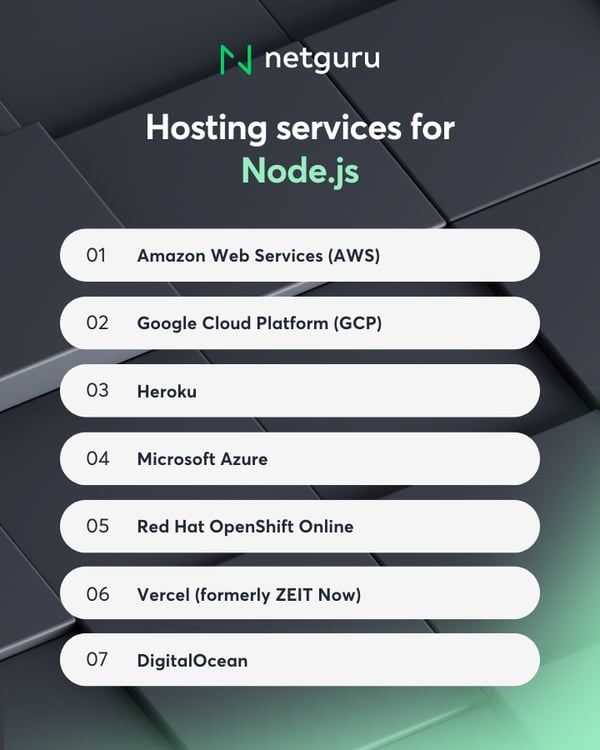
1. Amazon Web Services (AWS)
Amazon Web Services allows you to deploy high-availability Node.js applications using AWS Elastic Beanstalk, a Platform-as-a-Service (PaaS) solution that simplifies provisioning, load balancing, and scaling. You maintain full control over your environment and can run multiple applications per instance to optimize costs.
Pros: Robust documentation, scalability, and extensive ecosystem of tools and integrations.
Cons: Steep learning curve for beginners, especially when managing server configurations and permissions.
2. Google Cloud Platform (GCP)
Google Cloud Platform is a cloud provider known for strong support of containers, data analytics, and machine learning. Node.js apps can be easily deployed using App Engine, Cloud Run, or Google Kubernetes Engine (GKE). Since Google created Kubernetes, integration is seamless and production-grade. A free tier is available for smaller projects.
Pros: Best-in-class Kubernetes integration, excellent data and ML tools, generous free tier.
Cons: Slightly fewer data centers and availability zones than AWS or Azure, though this gap continues to narrow.
3. Heroku
Heroku, originally designed for Ruby on Rails, now supports multiple languages including Node.js. It’s known for its simplicity—developers can deploy apps directly from Git in minutes. Heroku integrates easily with add-ons like SendGrid, Redis, and PostgreSQL, and supports region-based deployments.
Pros: Beginner-friendly, free tier available, easy deployment, and wide plugin ecosystem.
Cons: Pricing scales quickly beyond the free tier, and build times can slow with larger applications.
4. Microsoft Azure
Microsoft Azure is a cloud platform that enables rapid deployment and management of Node.js applications across both Windows and Linux environments. Azure offers strong monitoring tools, automatic scaling, and global data center coverage.
Pros: Flexible scaling, solid free plan (up to 10 web apps per region), and seamless DevOps integration.
Cons: Deployment and configuration can be slower compared to Heroku or Vercel.
5. Red Hat OpenShift Online
OpenShift Online by Red Hat provides a managed Kubernetes platform supporting Node.js and other languages. It’s popular among developers for its free starter tier and simplified deployment process. OpenShift automatically handles scaling, networking, and security policies, making it ideal for experimentation or small projects.
Pros: Free starter tier, auto-scaling, multi-region availability, and built-in database options.
Cons: Free plan is limited to one project with restricted resources.
6. Vercel (formerly ZEIT Now)
Vercel, created by the team behind Next.js, is a zero-configuration platform optimized for frontend frameworks and serverless Node.js functions. It supports monorepos, CI/CD, and instant rollbacks, with infrastructure powered by AWS and Cloudflare.
Pros: Extremely fast deployments, generous free tier, and tight integration with Next.js and modern JavaScript stacks.
Cons: Best suited for stateless or serverless applications—no built-in database or persistent storage (requires external providers like MongoDB Atlas, PlanetScale, or Firebase).
7. DigitalOcean
DigitalOcean provides virtual private servers (Droplets) that can be preconfigured for Node.js using a one-click installer. It also offers App Platform, a managed PaaS for automatic scaling and updates, and Spaces for object storage. Kubernetes clusters are available for more complex deployments.
Pros: Competitive pricing, intuitive UI, and simple setup for developers comfortable managing infrastructure.
Cons: Requires more manual configuration compared to managed cloud platforms like GCP or AWS.
Tips for Node.js maintenance
Once your Node.js app is deployed, maintaining it properly is crucial to ensure stability, performance, and scalability. Poor maintenance leads to bugs, crashes, security risks, and technical debt that can slow development or force costly rewrites. A clear maintenance strategy helps keep your product adaptable and efficient as it grows.
Key challenges
Node.js is highly flexible but poses unique challenges for long-term upkeep.
1. Lack of conventions
Node.js and its frameworks (like Express, Fastify, or NestJS) are largely unopinionated. Without clear internal standards, teams may structure code inconsistently, complicating maintenance.
2. Technical debt
The ecosystem evolves quickly. With so many libraries available, inexperienced teams can choose unstable dependencies. Applying proven design patterns and maintaining consistent architecture helps minimize debt.
3. Scalability
Node.js excels at handling I/O-bound workloads but struggles with CPU-intensive tasks. To scale effectively, break down monolithic apps into microservices, use serverless functions, or leverage worker threads for parallel processing. Keeping services small and stateless simplifies scaling.
4. Incomplete documentation
Missing or outdated documentation slows development and onboarding. It also makes debugging harder and increases the risk of redundant or conflicting changes.
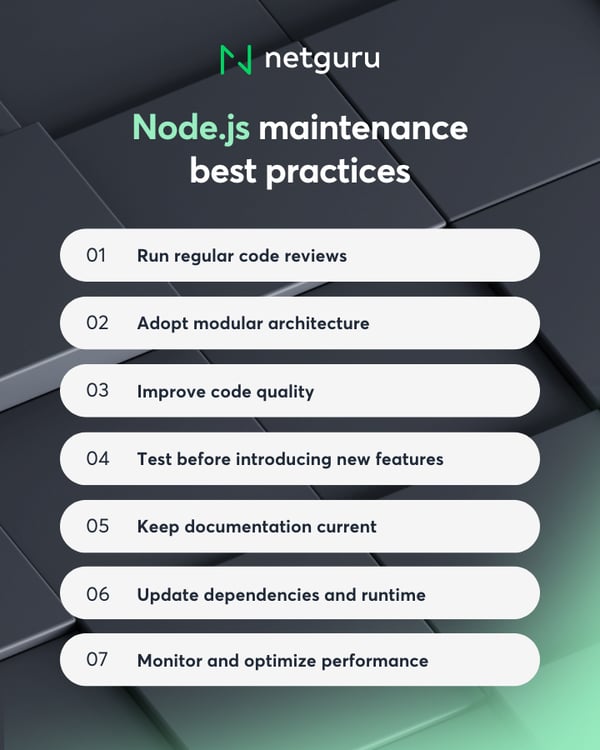
Best practices for smooth Node.js maintenance
Run regular code reviews
Audit your codebase routinely to identify performance issues, poor structure, or security risks. Code reviews help prioritize what to fix and ensure the team maintains consistent standards.
Adopt modular architecture
Refactor monoliths into smaller, independent services for easier scaling and team autonomy. Microservices allow changes and deployments without disrupting the entire system.
Improve code quality
Enforce internal coding rules and automate checks with tools like ESLint, Prettier, and SonarQube. Use TypeScript for clearer, type-safe code and add linters and tests to your CI pipeline. Regular refactoring prevents technical debt and speeds up future development.
Test before introducing new features
Comprehensive unit and integration tests ensure stability during updates or refactors. Strong test coverage allows you to detect regressions early and deploy changes with confidence.
Keep documentation current
Maintain clear, accessible documentation for architecture, workflows, and dependencies. It supports faster onboarding, smoother communication, and fewer errors during updates.
Update dependencies and runtime
Regularly upgrade Node.js to benefit from performance, security, and language improvements. Audit dependencies with npm audit or Snyk, replacing unsupported packages. Strong test coverage helps catch breaking changes during updates.
Monitor and optimize performance
Track performance with tools like New Relic, Datadog, or Elastic APM, and log behavior with Winston or Pino. Monitoring helps detect slow endpoints, memory leaks, or scaling limits early, enabling proactive fixes.
Conclusion: Why Node.js remains a strategic choice
Node.js remains a strategic asset in modern software development—not because it’s flawless, but because it addresses practical challenges with speed, flexibility, and developer efficiency.
For startups, it enables rapid prototyping and full-stack JavaScript workflows that accelerate time to market. For scale-ups and enterprises, it supports real-time features, cost-effective APIs, and scalable infrastructure—especially when paired with TypeScript, CI/CD automation, and modular architecture.
When adopted with clear intent and disciplined engineering practices, Node.js empowers teams to move faster, adapt quicker, and deliver the kind of responsive digital experiences users now expect by default.