
How to Build an Ecommerce Design System That Scales With Your Business


Contents
When implemented correctly, ecommerce design systems deliver measurable ROI: with every $1 invested in UX generating $100 in returns while maintaining brand consistency across all customer touchpoints.
An ecommerce design system is your blueprint for managing platforms that handle 20 million daily active users and process 10 million sales per day. Your team risks creating inconsistent user experiences that damage trust and slow down feature releases without a cohesive system.
A design system has patterns and methodologies that assist designers and developers in creating cohesive digital products. The best ecommerce design system examples demonstrate how establishing reusable components reduces development time while maintaining brand consistency across touchpoints. The principles remain the same whether you're building your ecommerce website design system in Figma or another tool.
This piece walks you through building an adaptable design system that grows with your business, from mapping current assets to maintaining evolving components.
Key Takeaways
Building a scalable ecommerce design system transforms fragmented assets into unified resources that accelerate growth and improve user experiences.
- Inconsistent experiences cost sales: 88% of users abandon sites after poor experiences, while consistent branding can increase revenue by 23%
- Design systems accelerate development: Teams report 31% efficiency gains in development and 38% in design, with 50% reduction in project timelines.
- Start with a systematic inventory: Map current assets, define brand-based principles, create design tokens, then build core ecommerce components like product cards and checkout flows.
- Organize by functional use cases: Structure components around shopping experience, checkout flows, account management, and marketing banners for easy team access.
- Treat as evolving product: Create quarterly roadmaps, establish contribution guidelines, monitor usage analytics, and provide comprehensive training for sustained success.
Why Ecommerce Brands Need Scalable Design Systems
The Cost of Inconsistent User Experiences in Online Retail
Inconsistent brand presentation affects your bottom line. Studies show that 88% of online consumers abandon websites after a poor experience. The financial consequences extend beyond lost sales. Research indicates that 32% of customers leave a brand after just one negative interaction.
Customers question your credibility when your product pages display different fonts, buttons behave inconsistently, or checkout flows vary across devices. Correcting inconsistent brand presentation can increase revenue by up to 23%. Fragmented experiences erode trust and reduce conversion rates. This translates to abandoned carts, lower customer lifetime value, and weakened brand recall across touchpoints for ecommerce brands.
How Design Systems Reduce Time-to-Market for New Features
Design systems accelerate development through reusable components and shared standards. Development teams report average efficiency gains of 31%. Design teams see improvements of 38%. These numbers reflect real-time savings. One project reduced simple form development time by 47% compared to coding from scratch. Another team cut button development from 14-15 hours down to 2.5 hours and achieved an 80% speed increase.
The efficiency stems from eliminating repetitive decisions. Tools like Figma enable designers to prototype in hours rather than days by pulling pre-defined components. Developers access the same component pool and bypass the need for detailed visual direction for every interface. Organizations report a 30-40% reduction in development costs after adopting a design system. Design systems cut project time by up to 50% for teams.
Real Impact: Best Ecommerce Design System Examples That Drive Results
Shopify Polaris demonstrates how ecommerce design systems function at scale. The system powers experiences across Shopify's admin, POS, and mobile apps with detailed UI components and accessibility standards. Companies achieve measurable improvements by applying similar principles. Mattress Firm saw a 60% increase in shopping cart conversion rate after streamlining its user journey. Another retailer experienced a 43% rise in overall conversion rate through improved ecommerce functionality.
These gains stem from addressing specific user friction points. Research-driven redesigns that simplify complex decisions produce results. To name just one example, investing USD 1.00 in UX design generates USD 100.00 in returns and represents a 9,900% ROI. Design systems enable this return by maintaining consistency while teams iterate on solutions.
Building Your Ecommerce Design System Step-by-Step
Building your ecommerce design system requires a structured approach that transforms fragmented assets into unified resources.
Step 1: Map Your Current Design Assets and Identify Gaps
Catalog screens, elements, and interactions that users encounter in your channels. An interface inventory collects all the bits and pieces that make up your interface. Compare design representations with code implementations to identify logical chunks. Document colors, typography, and components you currently use. Teams using this method often find 116+ color variables scattered in files where only a curated selection serves the brand.
Step 2: Define Your Design Principles Based on Brand Values
Your core brand values guide design decisions from strategy to details. These beliefs shape visual identity, from logos to color schemes. Design choices need to reflect these values for a cohesive brand identity. Colors evoke emotions that influence consumer behavior, while typography reflects brand personality.
Step 3: Create Foundational Design Tokens
Design tokens are name-value pairings that represent repeatable design decisions. They abstract variables like color, typography, and spacing for consistent UI design. Organize tokens into three categories: primitive tokens (simple building blocks), semantic tokens (communicate how primitives are used), and component tokens (scoped to specific components). Store tokens in JSON files for transformation on different platforms.
Step 4: Build Core Ecommerce Components (Product Cards, CTAs, Forms)
Product cards chunk related information into digestible units with images, titles, and call-to-action buttons. High-contrast CTA colors increase visibility. Use action-oriented copy like "Add to Cart" rather than generic labels. Checkout forms require billing information fields, order summaries, and multiple payment options.
Step 5: Document Component Behavior and Usage Rules
Component documentation explains purpose, usage guidelines, and technical specifications. Include props and API tables, states and variants, accessibility requirements, and visual examples. Address common mistakes to reduce errors.
Step 6: Set Up Your Ecommerce Website Design System Infrastructure
Figma provides a cloud-based architecture for simultaneous collaboration and component libraries. Teams work 34% faster with proper infrastructure. Alternative tools include Storybook for UI documentation and Zeroheight for centralized resources.
Organizing Design System Components for Ecommerce Use Cases
When you organize your ecommerce design system by functional use cases, teams can quickly locate the right components for specific scenarios.
Shopping Experience Components (Filters, Search, Product Display)
Search interfaces drive the most important results. Users who search convert at rates 200% higher than those who browse. Your search bar needs prominent placement, autocomplete functionality, and filter integration. Faceted filters allow users to narrow options through predefined categories, especially valuable for large catalogs. Product grids display items in responsive layouts. They typically show 2 columns on mobile and 4 on desktop. Include product cards with images, titles, prices, and clear calls-to-action.
Checkout Flow Components (Cart, Payment Forms, Order Confirmation)
Payment forms represent the most critical checkout element. Poor design causes cart abandonment at high rates, with nearly 70% of online shoppers leaving before purchase completion. Use single inputs for card numbers rather than splitting them into parts. Enable autocomplete with proper values (cc-number, cc-name, cc-exp-month, cc-exp-year) to help browsers securely store payment details.
Cart abandonment reaches 72% industry-wide, with checkout abandonment at 53%. Order confirmation pages need order numbers, shipping details, estimated delivery dates, and customer support contact information.
Account Management and Personalization Elements
Personalization delivers content that matches specific user needs with no effort from users. The system profiles users and adjusts interfaces, therefore. Eighty percent of consumers purchase more when brands offer tailored experiences. Account dashboards serve as navigational anchors for task-oriented activities like password changes or order lookups.
Marketing and Promotional Banner Systems
Banners promote curations, events, and programs with clear CTAs. Structure has headlines, action buttons, images, and optional disclaimers. Types include image background banners, color background options, and multi-destination formats for sales linking to multiple categories.
Maintaining and Evolving Your Design System Over Time
Design systems require continuous attention to work as products evolve and teams expand.
Creating a Design System Roadmap Aligned with Business Goals
Your design system should be treated as a product with its own roadmap and backlog. Design system goals need to map to company priorities. Ready-to-use component libraries should be provided if your business focuses on reducing time-to-market. Roadmaps should be segmented by quarter and negotiated between design system needs and the teams you serve. Stakeholders need updates, so revisit roadmaps quarterly.
Managing Contributions and Change Requests from Teams
Clear contribution guidelines need to explain how teams propose changes or request updates. A dedicated request board should be created and organized by status and priority. Requests can be scored using criteria like product area, reusability, and effort. A component lifecycle should be defined: propose, review, build, document, release, measure adoption, and deprecate. Decision rights need to be set for who approves new components and breaking changes.
Monitoring Component Usage Analytics
Adoption should be tracked across design, code, and documentation. Figma's library analytics reveals where components are used and which get detached the most. What versions teams use in projects can be monitored for code packages. Documentation effectiveness shows up in page analytics.
Adapting to New Ecommerce Trends and Customer Expectations
Future systems will offer tailored services based on user behavior and location. User data will be analyzed by an AI that provides intelligent design suggestions. Systems will function as adaptive ecosystems responding to team workflows.
Training New Team Members on Design System Standards
Complete design system documentation should be provided with usage guidelines, accessibility standards, and code snippets. Contribution processes need to show how components move from idea to production. Governance should explain who owns the library and the review process.
Silk - Ecommerce Design System Example
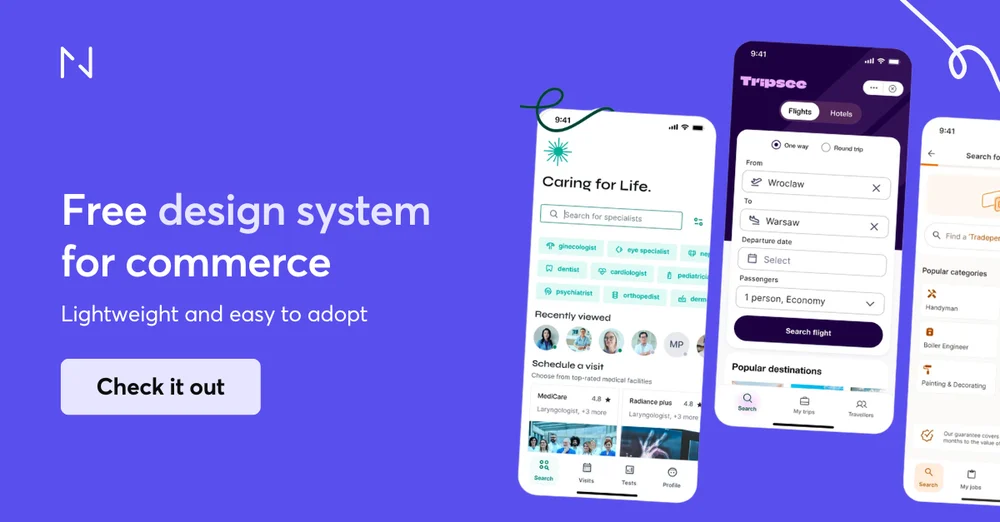
Silk is a strong example of a scalable commerce-focused design system. A free, open-source design system for ecommerce and marketplace products, Silk helps teams avoid rebuilding UI foundations for every new initiative.
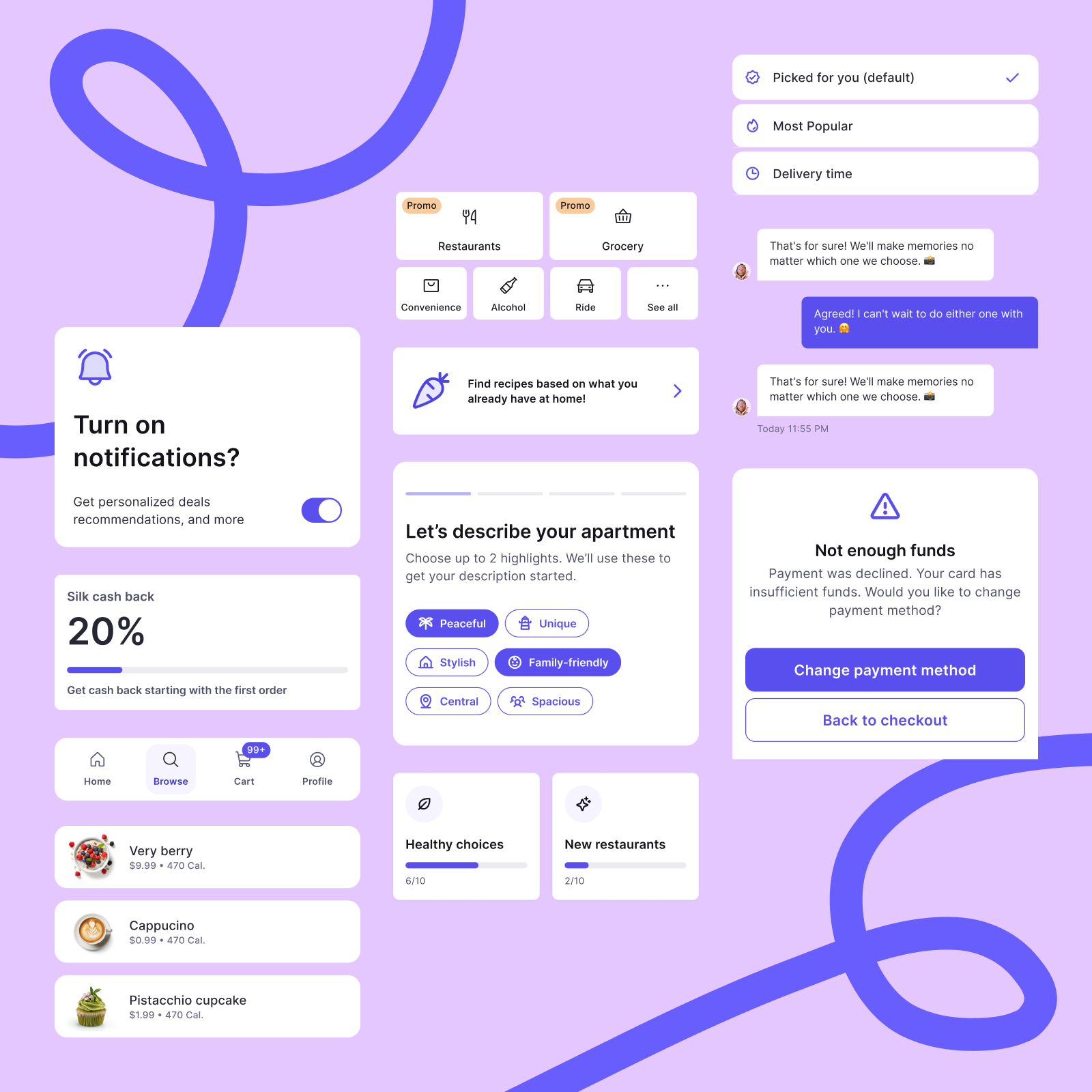
It provides structured design tokens for colors, typography, spacing, and layout, reusable core components for common commerce elements, like forms, navigation, and feedback, and predefined patterns for conversion-critical flows, such as product listings, checkout, and account management.
Available as open source Figma files with integrated documentation and writing guidelines, Silk helps both designers and developers maintain consistency across mobile and responsive web experiences.
It balances simplicity with structure, offering greater scalability than a basic UI kit without the complexity of large enterprise design systems. This makes it particularly well suited for single brand ecommerce and B2B products that need to iterate quickly, reduce design debt, and scale without creating fragmented user interfaces.
Conclusion
Your ecommerce design system represents a strategic investment that pays dividends through faster feature releases and consistent experiences while reducing development costs. The framework outlined here can transform fragmented assets into a unified system that scales with your business growth. Start with an interface inventory, establish foundational tokens, and build components in a systematic way. Most importantly, treat your design system as a living product that evolves with your customer expectations and business objectives.


