
How to Master Design System Metrics


Contents
Design systems, like any digital product, need regular maintenance to stay effective.
Even well-built systems can drift over time: components get duplicated, tokens become inconsistent with code, and accessibility standards quietly fall behind. Without clear metrics, this kind of decay often goes unnoticed—until it starts slowing down design and development.
That’s why knowing how to measure design systems is critical. Regular health checks bring visibility back into the process. By tracking key design system metrics—like component usage, adoption rates, accessibility compliance, and design-to-code parity— design and development teams can quickly see what’s working and what needs attention.
Ultimately, understanding and tracking the right metrics unlocks the full benefits of design systems—from faster delivery to more consistent user experiences. Metrics matter because they provide measurable insights into the success and efficiency of the design system.
More importantly, measurement connects day-to-day maintenance to broader business outcomes. It helps teams show the design system ROI and ensures the system continues delivering real value. Ultimately, understanding and tracking the right metrics unlocks the full benefits of design systems—from faster delivery to more consistent user experiences.
Design system metrics
A design system’s health depends on how consistently it’s used, how well it aligns with coded components, how accessible it is, and how technically up to date it remains. Regular audits help teams evaluate these dimensions and make informed decisions about maintenance and evolution. Here's how to measure design systems effectively across four key areas:
1. Component usage
What to track: How widely system components are used across products.
- Audit: Use analytics tools like Figma Insights, Storybook telemetry, or npm download stats to identify unused, duplicated, or inconsistently applied components.
- Metric: Measure the percentage of user interfaces built with system components versus custom-built ones.
- Why it matters: Low adoption may indicate poor documentation, inconsistent naming, or missing patterns. If left unaddressed, this can lead to redundant design work, fragmented user experiences, and reduced system ROI.
2. Design–code parity
What to track: Alignment between design assets and coded components.
- Audit: Run manual or automated checks across Figma files and code libraries to identify mismatches, undocumented variations, or missing elements.
- Metric: Track “Figma coverage”—the percentage of UI patterns available in both design and code.
- Why it matters: Gaps in design–code parity often signal process breakdowns, lack of shared ownership, or siloed updates. These issues can slow down delivery and create inconsistencies.
3. Accessibility compliance
What to track: Whether components meet accessibility standards.
- Audit: Use automated tools (such as Axe, Lighthouse, or Storybook add-ons) and manual testing to verify compliance with WCAG guidelines.
- Metric: Measure the percentage of components that pass accessibility checks, including color contrast, focus states, keyboard navigation, and screen reader support.
- Why it matters: Failing accessibility checks can point to outdated components, a lack of testing, or insufficient team training. These issues may expose your product to legal risk, exclude users, and damage your brand reputation.
4. Dependency health
What to track: The technical stability and maintainability of the design system.
- Audit: Review design token consistency, library versions, and dependency freshness. Look for outdated, deprecated, or unused packages.
- Metric: Monitor average dependency age, known security vulnerabilities, and update frequency.
- Why it matters: Poor dependency health often signals technical debt or a lack of ownership. Left unchecked, this can introduce security risks, degrade performance, and make the system harder to scale or maintain.
Running these audits on a predictable cadence—quarterly for large organizations, biannually for smaller ones—keeps the system lean, accessible, and aligned with evolving product needs. Together, these measurements offer a clear, data-driven view of how efficient your design system really is.
Tools and metrics to track design system performance
Reliable data is essential for maintaining design system quality and demonstrating its return on investment to other stakeholders. While regular audits help define what to measure, having the right tools in place makes it possible to track those metrics consistently and accurately. The following tools and indicators provide a strong foundation for continuous performance assessment.
Figma analytics
Figma offers built-in analytics and third-party plugins that track how often components, styles, and tokens are used across design files.
What to measure: frequency of component use, number of overrides, and which teams or projects are referencing the system library.
Why it matters: high adoption signals relevance and consistency. Low usage can point to missing documentation, poor discoverability, or usability issues.
Storybook usage data
Storybook helps teams document, test, and visually review UI components in isolation.
What to measure: component load frequency, visual regression test coverage, and reported accessibility results.
Why it matters: these metrics highlight design–code parity and expose gaps in documentation or implementation that could lead to inconsistent user experiences.
npm and Rrepository statistics
For systems distributed as code packages, platforms like npm and GitHub provide insight into adoption and maintenance trends.
What to measure: download counts, dependency freshness, version adoption, and contributor activity.
Why it matters: regular usage and stable versioning indicate that teams are integrating components into real products and keeping the system up to date.

Key metrics to monitor in design system
Regardless of the tools used, the following metrics offer a clear snapshot of design system performance:
- Component reuse rate: percentage of UIs built using design system components
- Accessibility pass rate: percentage of components passing WCAG compliance checks
- Design–code alignment: proportion of Figma components with a coded equivalent
- Dependency freshness: share of libraries updated within the last quarter
- Adoption rate: percentage of active projects using the design system library
Tracking these metrics over time helps quantify system health and maturity. Combined with regular audits, they provide a data-driven way to prove that the design system continues to deliver operational and business value.
Lifecycle management and deprecation criteria
Even the most well-maintained design systems accumulate redundant or outdated elements over time. To remain lean and scalable, a design system needs clear rules for how components, tokens, and patterns evolve—from proposal to removal. A defined lifecycle ensures updates follow a transparent process and helps teams understand when and how to adopt changes.
Component lifecycle model
A structured lifecycle promotes consistency, accountability, and cross-team alignment. The following model is adapted from proven practices in Salesforce Lightning Design System (SLDS) and Shopify Polaris:
|
Stage |
Definition |
Action |
|
Proposed |
A new idea or component under consideration. |
Gather feedback from designers and developers before committing resources. |
|
In progress |
Actively being built or tested. |
Release to pilot teams for technical validation and feedback. |
|
Active |
Fully documented, supported, and ready for use. |
Available to all teams as the recommended solution. |
|
Deprecated |
Replaced by a new component or pattern. |
Publish a migration guide and communicate the planned removal date. |
|
Removed |
Deleted from design and code libraries. |
Archive for reference and log removal in changelogs. |
Defining deprecation criteria
Establishing objective criteria for deprecating components ensures teams retire elements responsibly and without confusion. Common reasons for deprecation include:
- Low usage: Less than 5% adoption within six months
- Better alternative available: A newer component offers improved quality, functionality, or accessibility
- Non-compliance: The component no longer meets current design, brand, or accessibility standards
- Outdated or insecure technology: Dependencies are deprecated or no longer maintained
Before removing any component, make sure migration paths are documented and communicated across platforms—Figma, code repositories, and internal documentation. This helps teams transition smoothly and avoids disruption in active projects.
Example: Q2 2025 design system audit
|
Scope |
Findings |
Actions |
|
32 components, 58 tokens, 4 libraries |
- 3 components with less than 5% usage — candidates for deprecation - 7 tokens with inconsistent naming between design and code - 2 components failing color contrast requirements |
- Flag components X, Y, and Z as deprecated in version 3.2.0 - Fix token naming inconsistencies - Schedule accessibility fixes for Button and Tooltip |
Why metrics matters
A transparent lifecycle and regular deprecation reviews help prevent unnecessary complexity. They also build trust in the design system, assuring teams that every component is current, supported, and aligned with business and design standards.
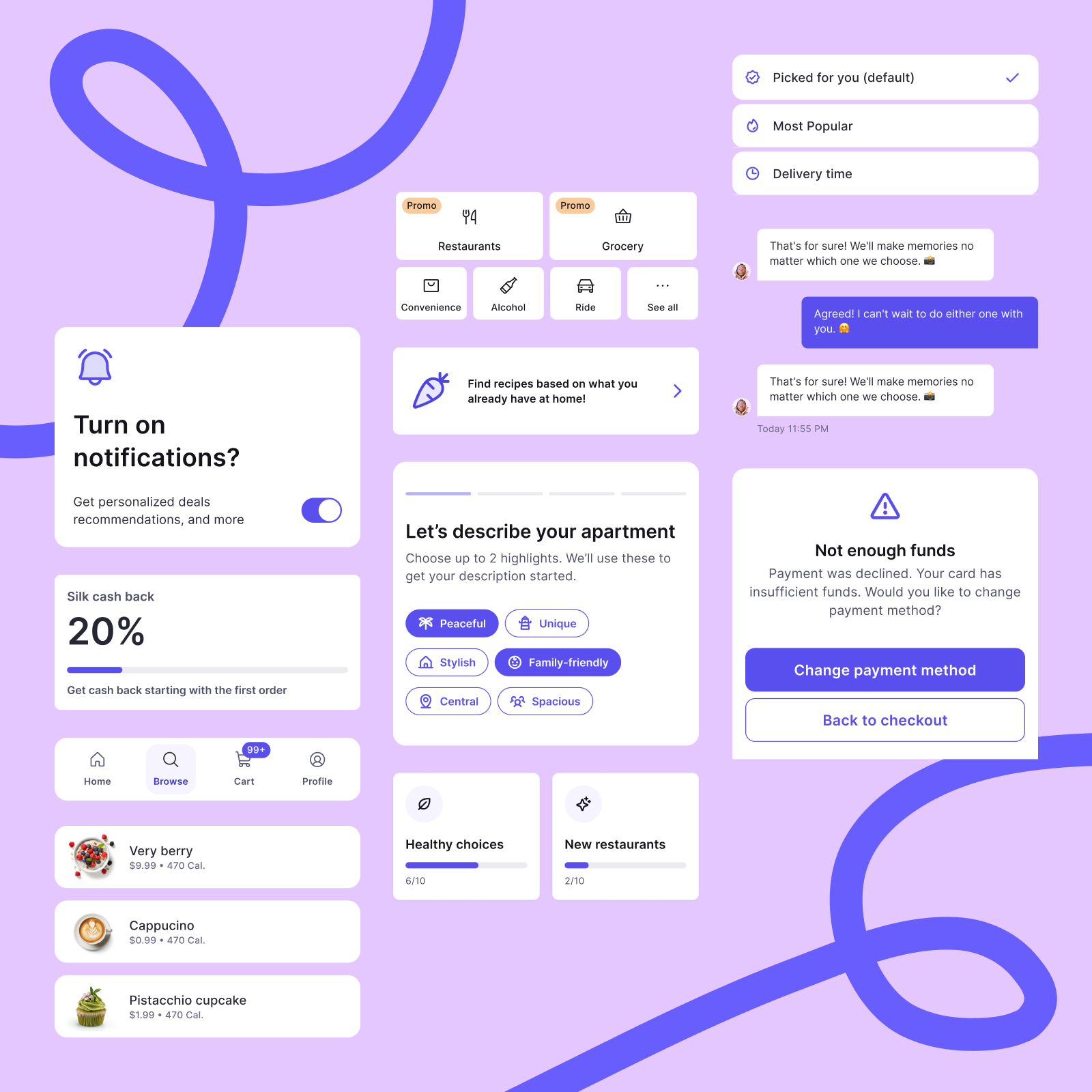
A practical example of this approach is Silk — our design system built for commerce products across mobile and responsive web. As it evolved through real client implementations, components were added, refined, or rebuilt based on actual usage and delivery needs. In one MVP project, six new components were introduced while others were restructured to improve scalability.
Building a culture of continuous improvement
Healthy design systems don’t stay that way by accident. They evolve through consistent measurement, clear ownership, and deliberate iteration. By running regular audits, tracking system metrics, and managing the component lifecycle with intention, teams ensure the system continues to support them—rather than slow them down.
A data-driven maintenance process also builds trust. When designers and developers see that outdated components are removed, documentation stays current, and accessibility standards are upheld, they’re more likely to rely on the system and contribute to its evolution.
Ultimately, measuring design system health isn’t just about maintaining order—it’s about protecting long-term ROI. Implementing and continuously improving a new design system maximizes ROI by ensuring the system remains scalable, adaptable, and aligned with business goals. It becomes a shared foundation that accelerates delivery, supports innovation, and sustains consistency across every product experience.


